

AI Agents: how to design autonomous systems with LLMs
AI agents are autonomous systems built around state-of-the-art large language models (LLMs) that go beyond answering questions—they can reason, make decisions, and complete complex workflows on behalf of the user.

What are AI Agents and why do they matter?
An AI agent is more than a chatbot. It's a system that combines:
- a language model (LLM) for reasoning and logic
- external tools (APIs, databases, emails, custom functions)
- detailed instructions to guide its behavior
This synergy allows the agent not just to respond, but to act—analyzing documents, processing refunds, generating reports, automating complex conversations, and more.
When does it make sense to use an AI Agent?
According to OpenAI, AI agents are especially useful when:
- decisions are complex, nuanced, or involve exceptions
- rules change frequently and are hard to maintain using traditional logic
- data is unstructured: emails, PDFs, transcripts
Practical example: fraud detection in payments. A rule-based engine checks boxes, but an AI agent can evaluate weak signals, historical context, and anomalies more effectively.
How to design an effective AI Agent
An AI agent is built on three pillars:
- language model (LLM): drives reasoning and task execution
- tools: APIs, custom functions, databases, email services for action
- instructions: structured prompts with rules, exceptions, messages, and flows
Best practices for design:
- start with the best model available, then optimize for cost and performance
- write clear, step-by-step instructions anticipating edge cases and ambiguity
- explicitly define when and how each tool should be used.
Architectures: Single-Agent or Multi-Agent?
Choosing between a single agent or a network of specialized agents depends on task complexity:
- single-agent: easier to build and maintain, great for linear workflows
- multi-agent: ideal for varied and specialized tasks. Two common patterns:
- manager: a central agent manages others as tools
- decentralized: agents transfer control based on context
Examples of multi-agent implementations are available on GitHub.
Safety and reliability in production
Bringing an agent into production requires strong guardrails. Key measures include:
- filters against harmful or off-topic prompts
- recognition of sensitive data to prevent exposure
- validations before critical actions (e.g. refunds, submissions)
- escalation to a human operator in case of uncertainty or errors
Conclusion and next steps
AI agents represent a concrete step toward cognitive automation. If your processes involve unstructured data, dynamic rules, or high variability, now is the perfect time to start exploring the potential of this technology.
To operate effectively, agents need to interact with specialized tools. myBiros is a solution designed for document processing, and thanks to its APIs, it can be seamlessly integrated into agent-based systems.
Want to learn more? Get in touch. We’re here to help you take the first step.
Articles in the same category

Digital sale of RCA insurance policies: how IDP improves quotes and onboarding
IDP makes it possible to automatically extract data from RCA insurance policies and use it to generate personalized quotes, reducing manual form filling and abandonment in the digital funnel.
Read it now
Document AI: when general-purpose model APIs are not enough
General-purpose model APIs work well for prototypes, but at scale, document data extraction requires validations, integrations, and exception handling. The model is only one part of the system.
Read it now
AI for Gas and Electricity Switching: Less Friction, More Contracts
Extracting data from utility bills and documents still slows down many switching processes. With myBiros’ specialized AI, utilities and sales networks can automate data entry, reduce errors and accelerate contract signing.
Read it now
Accelerating Time-to-Yes in Lending with AI
AI accelerates the analysis of financial documents, reduces manual work, and transforms data into structured information, enabling banks and financial intermediaries to respond faster and improve their Time-to-Yes.
Read it now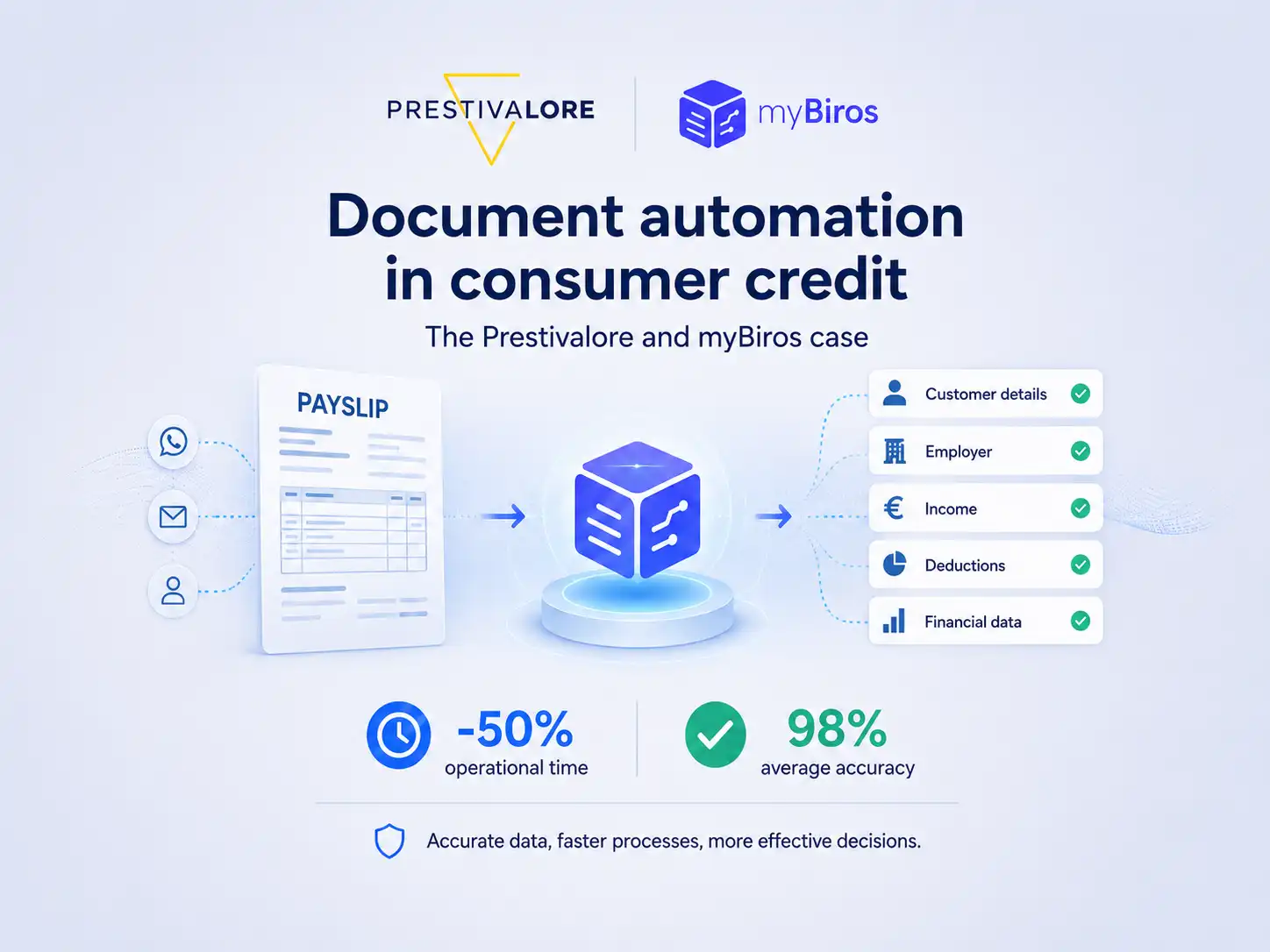
How Prestivalore reduced operational times by 50% with myBiros
Prestivalore processes approximately 90,000 documents each year, including payslips and identity documents. Thanks to myBiros, the company has automated data extraction, reduced manual work, and achieved an average accuracy rate of 98%.
Read it now
Beyond the Demo: The Hidden Complexities of Training and Validating VLMs for Document AI
Training a VLM for Document AI may look straightforward in a demo, but bringing it into production requires a robust pipeline: multimodal datasets, controlled fine-tuning, and reliable output validation.
Read it now

